📑 Table of Contents
- Admit card, city slip and call letter: understand the difference first
- Problem 1: The admit card has not been released yet
- Problem 2: Forgot registration number or password
- Problem 3: “Invalid date of birth” error
- Problem 4: Website not opening or very slow
- Problem 5: Nothing happens when you click Download
- Problem 6: PDF downloaded but will not open
- Problem 7: Photo or signature missing on the admit card
- Problem 8: Wrong name, date of birth or category printed
- Problem 9: Application rejected or “record not found”
- Problem 10: Exam centre too far or wrong city allotted
- Problem 11: Colour or black-and-white printout?
- Problem 12: Lost the admit card or could not print it on exam day
- How to download the admit card on mobile
- Important points for PwD candidates and scribes
- Exam day checklist: before you leave home
- How to contact the helpline the right way
- After the exam: response sheet and answer key
- Most bodies release admit cards only a few days before the exam, often shift-wise or region-wise.
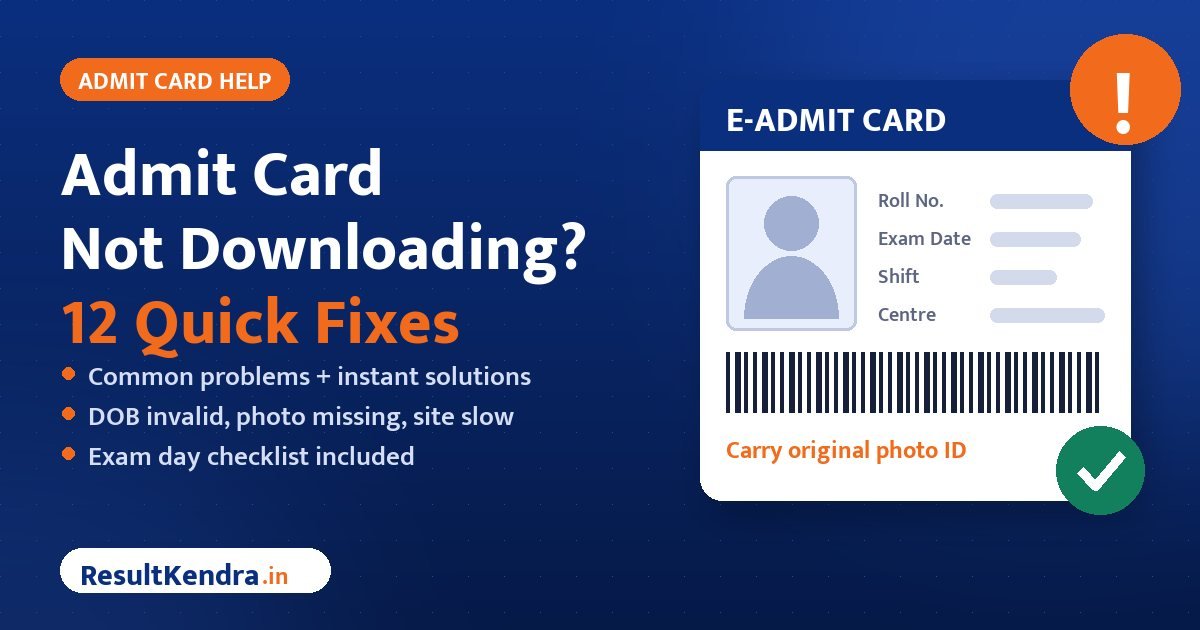
- Always carry an original photo ID that matches the name on your admit card.
“Admit card not downloading” is one of the most searched phrases in the week before every big government exam. The exam is close, your preparation is done, and suddenly a small technical problem stands between you and the exam hall. The good news: almost every admit card problem has a simple fix, and most of them can be solved in a few minutes at home.
In this guide we cover 12 common admit card problems and their solutions, explain how release schedules work for SSC, Railway, Banking and other exams, and give you a complete exam-day checklist so that nothing goes wrong at the centre gate.
Admit card, city slip and call letter: understand the difference first
Different organisations use different names, and some release more than one document. Knowing which document you are looking for saves a lot of confusion.
| Document | What it contains | Can you enter the exam with it? |
|---|---|---|
| Exam city intimation slip | Only your exam city and date, so you can plan travel. | No |
| Admit card / e-call letter / hall ticket | Roll number, exact centre address, shift, reporting time and instructions. | Yes — this is the document required |
| Application status | Whether your form was accepted or rejected. | No |
Railway Recruitment Boards, for example, usually publish a city intimation slip first and the e-call letter only a few days before your exam date. Banking exams (IBPS, SBI) generally release call letters about a week to ten days before the exam. SSC releases admit cards region-wise or through its central portal before each exam. Exact timings change with every notice — check our admit card section for the latest status of your exam.
Problem 1: The admit card has not been released yet
Many candidates try to download the admit card as soon as they hear that “admit card is out”, but in reality it has been released only for the first few shifts or for some regions.
- Read the notice carefully — it may say “for exams scheduled on 6 and 7 October” only.
- For multi-shift exams, admit cards are often released a set number of days before each candidate’s exam date.
- For region-wise exams (SSC regional offices, RRB zones, state boards), check your own region’s website.
Problem 2: Forgot registration number or password
- On the login page, click “Forgot Registration Number” or “Forgot Password”.
- Enter your registered mobile number / email and date of birth.
- The registration number or a reset link / OTP will be sent to your mobile or email.
- If you no longer use that mobile number, search your old emails for the application confirmation, or write to the helpline with your full details.
Problem 3: “Invalid date of birth” error
This is almost always a format issue. Try these:
- Use the exact format shown near the box — usually DD/MM/YYYY or DD-MM-YYYY.
- Use the date picker if the site provides one instead of typing.
- Enter the date of birth exactly as filled in your application form — even if your form had a mistake.
- On some portals you need your password instead of date of birth — check the option chosen on the page.
Problem 4: Website not opening or very slow
When lakhs of candidates try to download at once, the official site slows down. Try:
- Downloading early in the morning or late at night.
- Switching from mobile data to Wi-Fi or vice versa.
- Using a laptop or desktop browser.
- Using the alternate or regional link mentioned in the notice.
Do not wait for the last day. Download the admit card on the first or second day after it is released.
Problem 5: Nothing happens when you click Download
This usually happens because the browser blocks a pop-up or a PDF download.
- Allow pop-ups for the website (in Chrome: the icon at the right side of the address bar).
- Try another browser — Chrome, Firefox or Edge.
- Open the site in incognito / private mode to avoid old cached files.
- On a phone, choose “Desktop site” from the browser menu if the mobile layout hides the button.
Problem 6: PDF downloaded but will not open
- Install or update a PDF reader (Google Drive PDF viewer, Adobe Acrobat Reader).
- If the file size is 0 KB, the download was incomplete — download again.
- Some admit cards open as a web page; use the browser’s Print → “Save as PDF” option to save them.
Problem 7: Photo or signature missing on the admit card
A blank photo box is a serious problem because invigilators match your face with the photo.
- Download the admit card again on a different browser — sometimes the image simply fails to load.
- If it is still missing, check whether the notice gives special instructions (some bodies ask you to paste a photo and carry an undertaking).
- Email or call the helpline immediately with your registration number and a screenshot.
- Carry extra passport-size photos identical to the one uploaded in your application, plus your original photo ID.
Problem 8: Wrong name, date of birth or category printed
Small spelling differences are common, especially with names in English versus your ID card.
- Minor spelling differences are usually accepted if your photo ID clearly identifies you — but report it anyway.
- Email the helpline with your ID proof and application printout, and keep their reply.
- Carry supporting documents (Aadhaar, 10th certificate) to the exam centre.
- If your category is wrong, raise it immediately in writing — it can affect your result and cut-off later.
Problem 9: Application rejected or “record not found”
Some bodies publish a list of rejected applications along with reasons, such as an unclear photo, a missing signature or an unpaid fee. If you see “record not found”:
- Make sure you are on the right exam and the right year’s login page.
- Check whether your fee payment was successful — look for the bank SMS or receipt.
- Check the rejected list in the notice section.
- Contact the helpline with your payment proof if you believe your form was valid.
Problem 10: Exam centre too far or wrong city allotted
Exam bodies allot centres based on availability, and in most recruitment exams the centre cannot be changed after allotment. A few exams offer a correction window or special provisions — read the notice. Plan your travel early: reach the city a day before if the journey is long, and visit the centre a day in advance if possible so you know the route.
Problem 11: Colour or black-and-white printout?
Instructions differ. Many exams accept a clear black-and-white printout on A4 paper, while some specifically ask for a colour print or ask you to paste a photograph. Read the instructions page of the admit card itself — it overrides anything you hear from others. When in doubt, take a colour printout and keep one extra copy.
Problem 12: Lost the admit card or could not print it on exam day
Admit cards can be downloaded again as long as the link is active, usually until the exam date. Save the PDF in your email and phone. On exam day, look for a cyber café or print shop near the centre before the reporting time — not after the gate closes.
How to download the admit card on mobile
Most candidates download their admit card on a phone. It works well if you follow a few simple steps:
- Use Google Chrome or Firefox rather than the in-app browser of WhatsApp, Telegram or Instagram. In-app browsers often fail to save PDF files.
- Open the official website directly by typing the address. If the layout looks broken, tap the three-dot menu and select “Desktop site”.
- Log in, open the admit card and tap Download or Print. If only “Print” is available, choose “Save as PDF” as the printer.
- Open the Files / Downloads app and check that the PDF opens and the photo, roll number and centre address are clearly visible.
- Share the PDF to your own email or Google Drive so you have a backup, then get it printed from any print shop.
Zoom in on the printout and check that the barcode or QR code (if any) is sharp. A blurred printout may be rejected at some centres.
Important points for PwD candidates and scribes
Candidates with benchmark disabilities often get extra time, a scribe or other facilities. These are given only when the correct documents are carried:
- Check that your admit card mentions the facility you applied for (scribe, compensatory time, etc.). If it does not, contact the helpline before the exam.
- Carry the disability certificate and, if you are bringing your own scribe, the scribe’s undertaking in the format given in the notice, along with the scribe’s photo ID.
- Read the eligibility rules for scribes carefully — many notices set limits on the scribe’s qualification.
- Reach the centre earlier than others so verification can be done without stress.
Exam day checklist: before you leave home
Getting the admit card is half the job. Many candidates are stopped at the gate because of a missing document or because they arrived late. Use this checklist:
| Carry this | Why |
|---|---|
| Printed admit card (plus one extra copy) | Mandatory for entry |
| Original photo ID (Aadhaar, Voter ID, PAN, Passport, Driving Licence) as allowed in the notice | Identity verification; name should match the admit card |
| 2–3 passport-size photos, same as uploaded | Some exams ask you to paste one on the attendance sheet |
| Any documents the notice asks for (e.g. PwD certificate, scribe form) | Required for special categories |
| Transparent water bottle, if allowed | Long reporting times |
Do not carry: mobile phones, smart watches, Bluetooth devices, calculators, papers, wallets or bags unless the notice explicitly allows them. Many centres have no safe place to keep them.
Reporting time and verification
- Reach early. Gate closing time is strict in most computer-based exams; late entry is generally not allowed.
- Biometric checks: many exams now capture fingerprints, photos or Aadhaar-based verification at the centre. Do not apply mehendi or heavy ink on your fingers before the exam.
- Dress simply. Some exams ask candidates to avoid heavy jewellery, large buttons or full sleeves for frisking — follow the admit card instructions.
How to contact the helpline the right way
If none of the fixes work, contact the official helpline. You will get a faster response if your message is complete:
- Subject line: Admit card issue – [Exam name] – [Registration number]
- Your full name, father’s name, date of birth and registered mobile number
- A clear one-line description of the problem
- Screenshots of the error and your fee receipt
Call during office hours and keep a note of the date, time and name of the person you spoke to.
After the exam: response sheet and answer key
Do not throw away your admit card after the exam. You will need your roll number and login details to view the answer key and response sheet, raise objections and later check your result. Read our guides on how to calculate your score from the answer key and how to check your Sarkari result to be ready for the next steps.
Keep calm, solve the problem early, and walk into the exam hall with confidence. Best of luck! 🍀
Frequently Asked Questions
How many days before the exam is the admit card released?
It depends on the exam. Many recruitment bodies release admit cards a few days to about a week before the exam, often shift-wise or region-wise. Railway exams usually release a city intimation slip first and the e-call letter a few days before the exam.
My name is misspelt on the admit card. Can I still take the exam?
Minor spelling differences are usually accepted if your original photo ID clearly identifies you, but report the error to the helpline in writing and carry supporting documents.
Is a black-and-white printout of the admit card accepted?
Many exams accept a clear black-and-white printout, but some ask for a colour print. Follow the instructions printed on your admit card.
Can I enter the exam with the city intimation slip?
No. The city slip only tells you the exam city and date. You must carry the actual admit card or e-call letter to enter the exam centre.
Can I change my exam centre?
In most recruitment exams the allotted centre cannot be changed. Check the official notice for any correction window.